

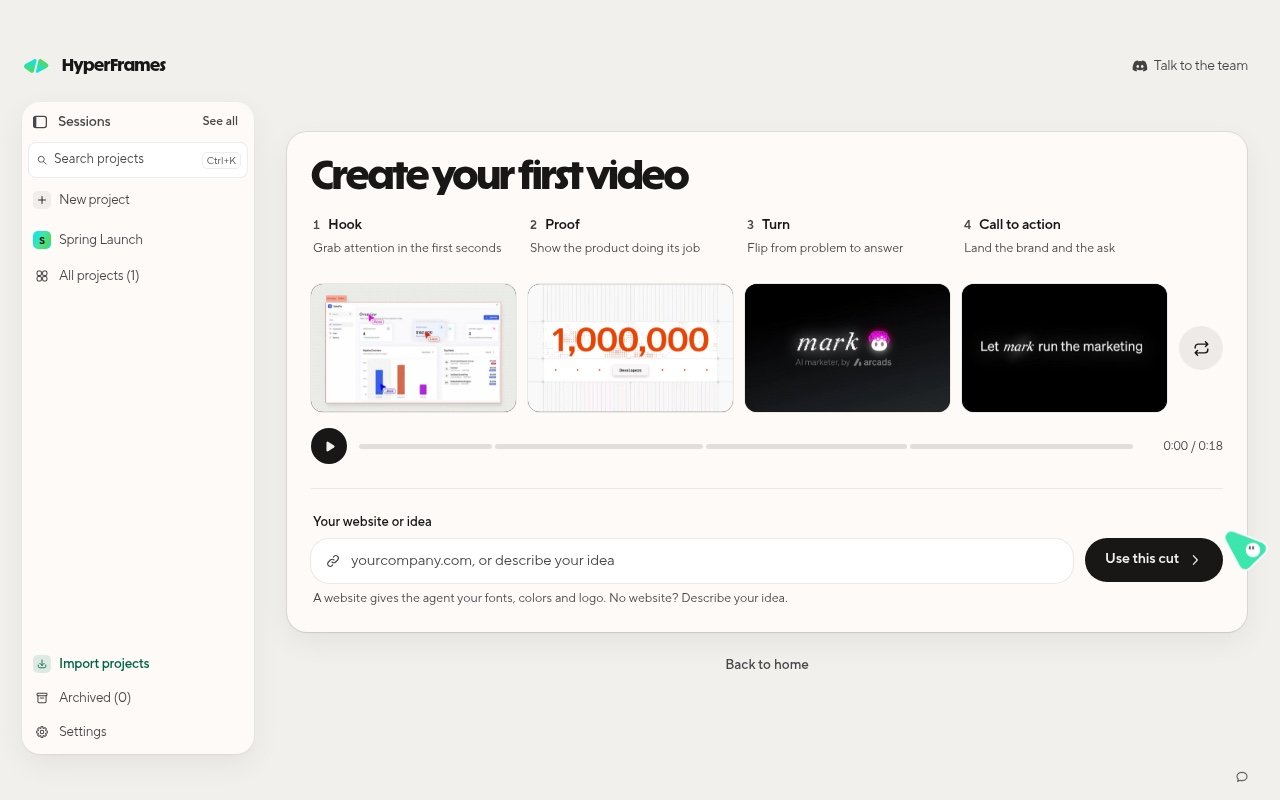
The first-video card: four parts, then your website or idea.
Build it
1
Pick the four parts
The card starts with one clip in each part. Use the shuffle button beside them for a new set, or hover a part to
shuffle it or browse the others.
2
Add your website or idea
Type your website, such as
yourcompany.com, or describe your idea. A website gives the agent your fonts, colors
and logo.3
Choose Use this cut
The request goes straight to the agent. If you are not signed in or have no agent yet, the app walks you through
that first, then sends it.
What should happen
The app creates a project for your video and the agent starts building it. On your first video, a short tour replays how a launch video was made while yours builds, then Framey takes you to your project. In the project, the chat shows what the agent is doing, such as Reading files or Editing files. When the agent finishes, the video is ready to play, change, and export.Start from your own words instead
You do not need the card. Choose Back to home, type what you want in the prompt box, and press Enter. Type@ to add files, other
projects, or media. To open the card again later, choose Take the step by step next to Get inspired.